
The problem
CFD software is hard to learn. The workflows are long, the words are full of jargon, and the software rarely tells you if you set something up wrong.
When we watched non-expert engineers use it, we saw they often think about their work differently from how the software is designed. Even after adapting to the software, they still had to set up a simulation and hope the results were right. So the idea was simple: the software should be so easy to use that anyone can set up a simulation.
My role
I led the UX for this product from the start. I worked closely with CFD engineers, developers and product managers, and my job was to take some pretty heavy physics and a complicated workflow and make it something people could easily use and trust.
What users told us
We talked to more than 30 simulation engineers from over 20 customer companies, in automotive, aerospace, medical and other industries. Some were experts and some weren’t. We interviewed them and watched them set up models and run simulations.
We follow contextual inquiry for this. Instead of asking people to describe their work in a meeting, we sit with them while they do their real work, on their own models, and ask questions as things come up. That’s where you see the workarounds and the moments people get stuck, things they’d never think to mention in a regular interview.
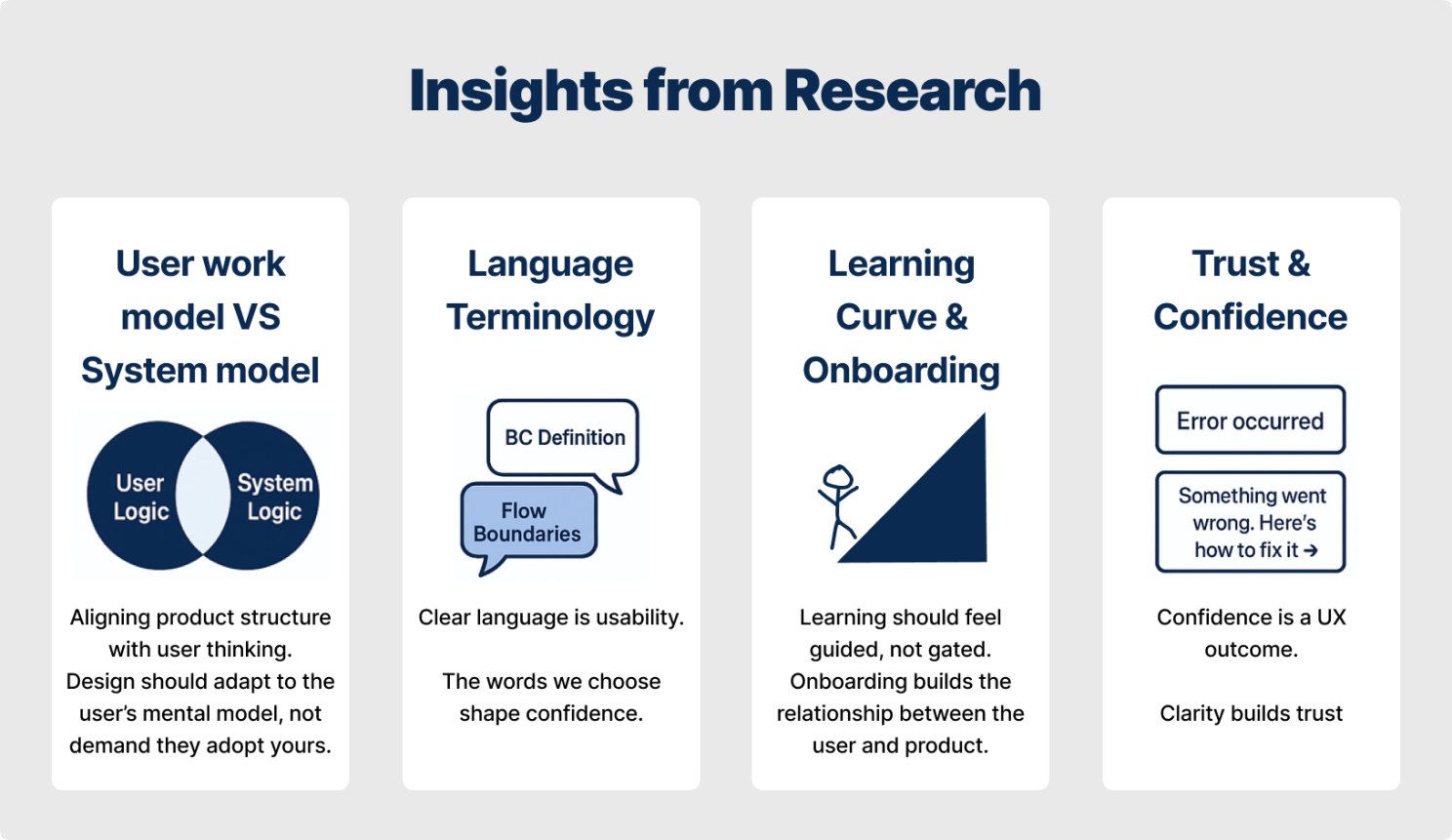
What surprised me was that complexity itself wasn’t the problem. People got stuck for mainly four reasons:
- The setup steps didn’t follow the way they actually think about a design.
- The terminology lost anyone who wasn’t a CFD expert.
- The learning curve was steep and onboarding very inefficient.
- They didn’t get enough feedback to trust a result.
How we worked
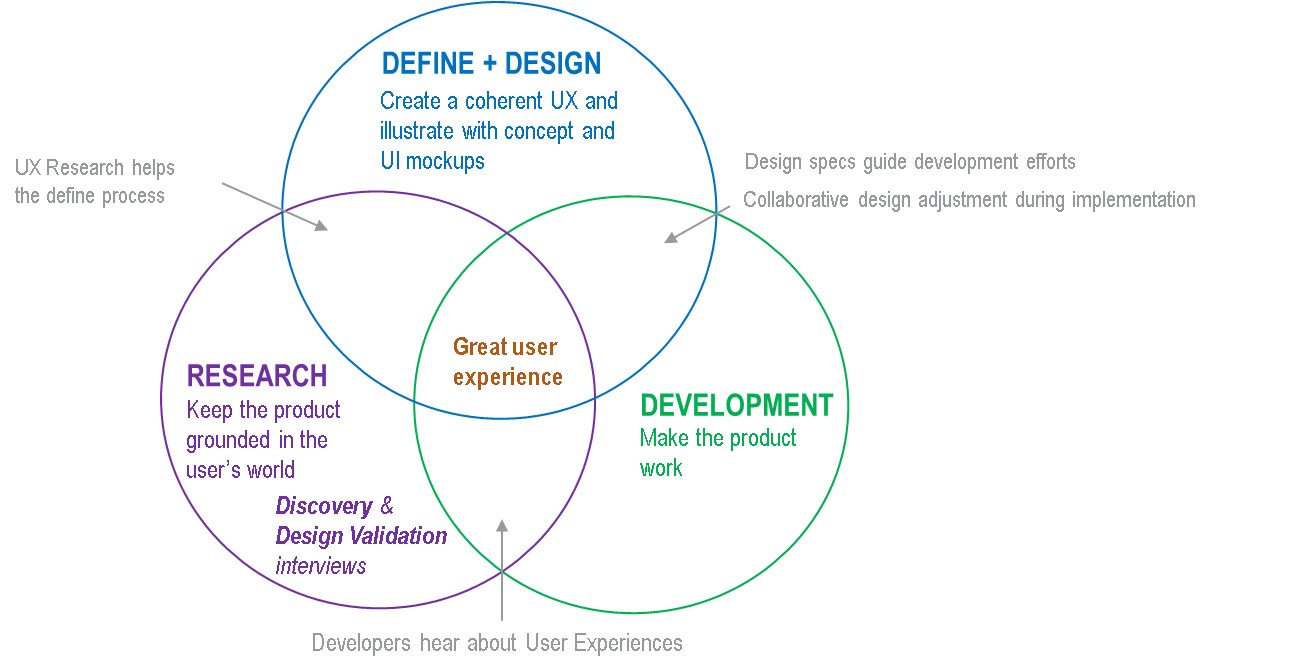
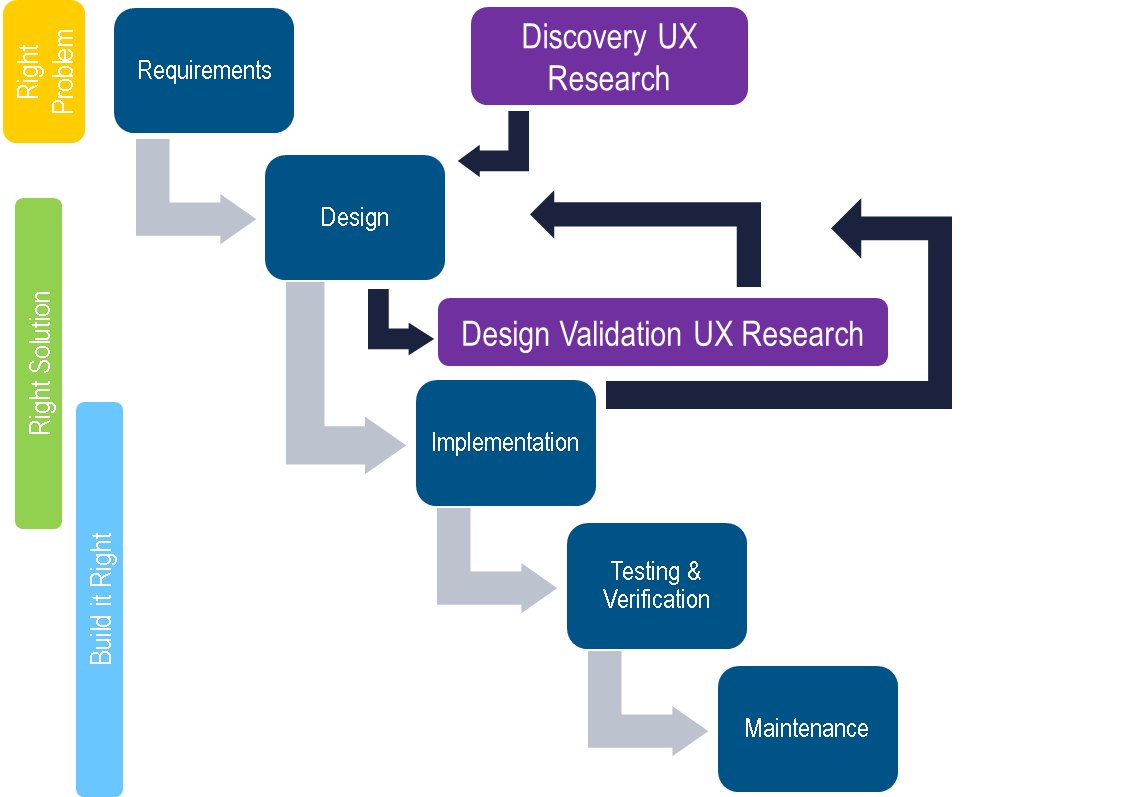
Research isn’t a one-time thing for us. Every release starts with interviews and watching people work, and we go back to users again once there’s a design to test. Roughly, it goes like this:
- Discovery
- Define requirements
- Design
- Design validation research
- Development
Principles
- Fit how engineers already work. The product should follow the way they think and the tools they already use, instead of asking them to learn ours.
- Use words people understand. Terms stay technically correct, but someone who isn’t a specialist should still get them.
- Help people learn as they go. The first few minutes with the app matter a lot, so onboarding goes step by step and lets people explore.
- Build trust through feedback. When something goes wrong, the app should say what happened and why. That’s how people start to trust it.
Workflow redesign
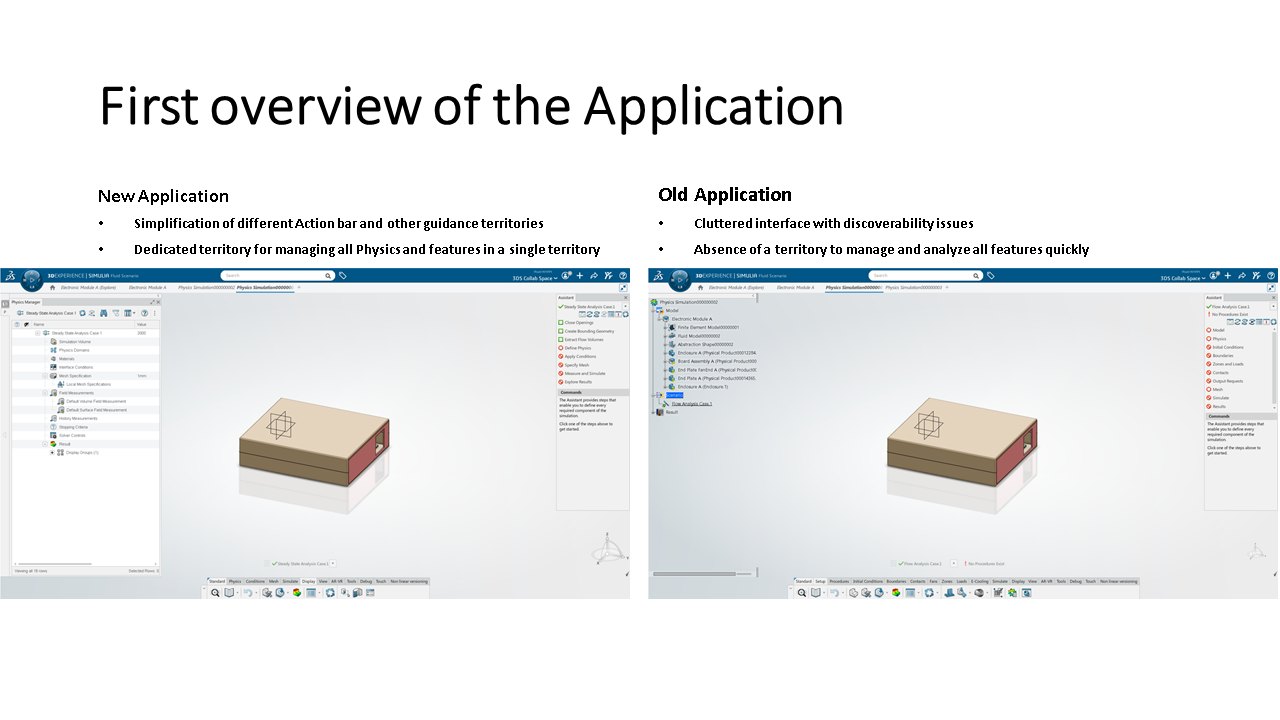
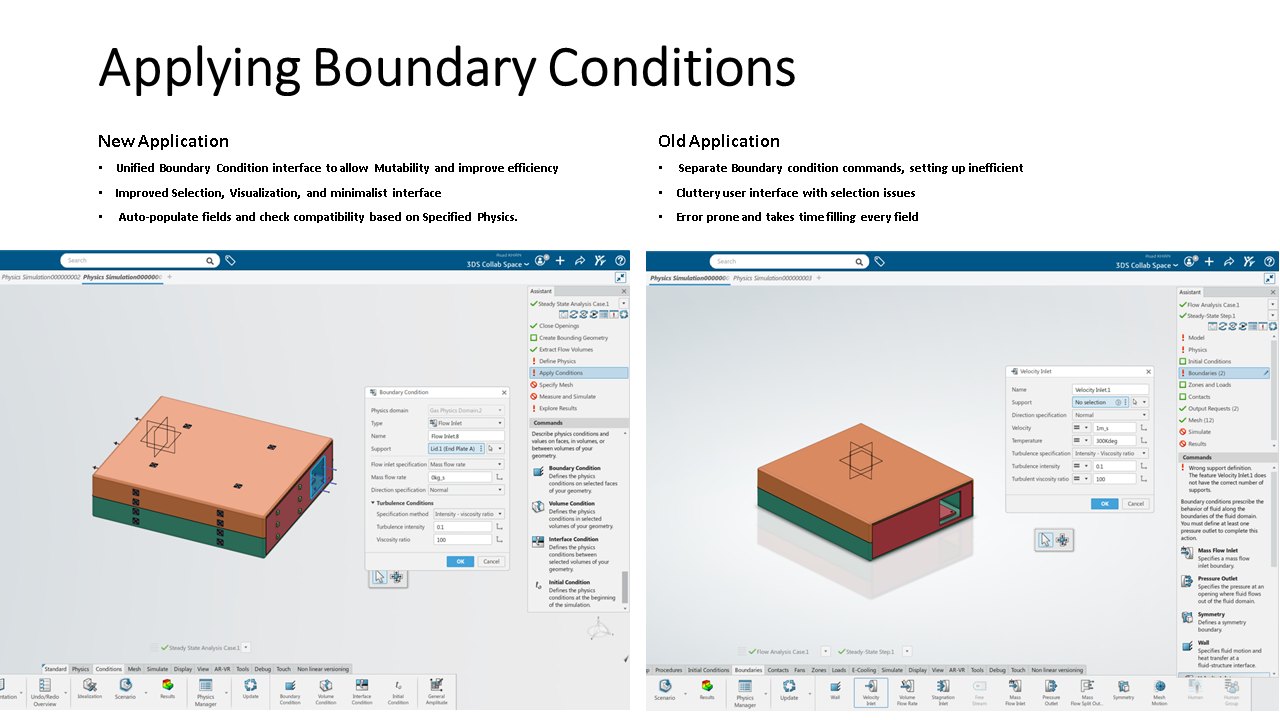
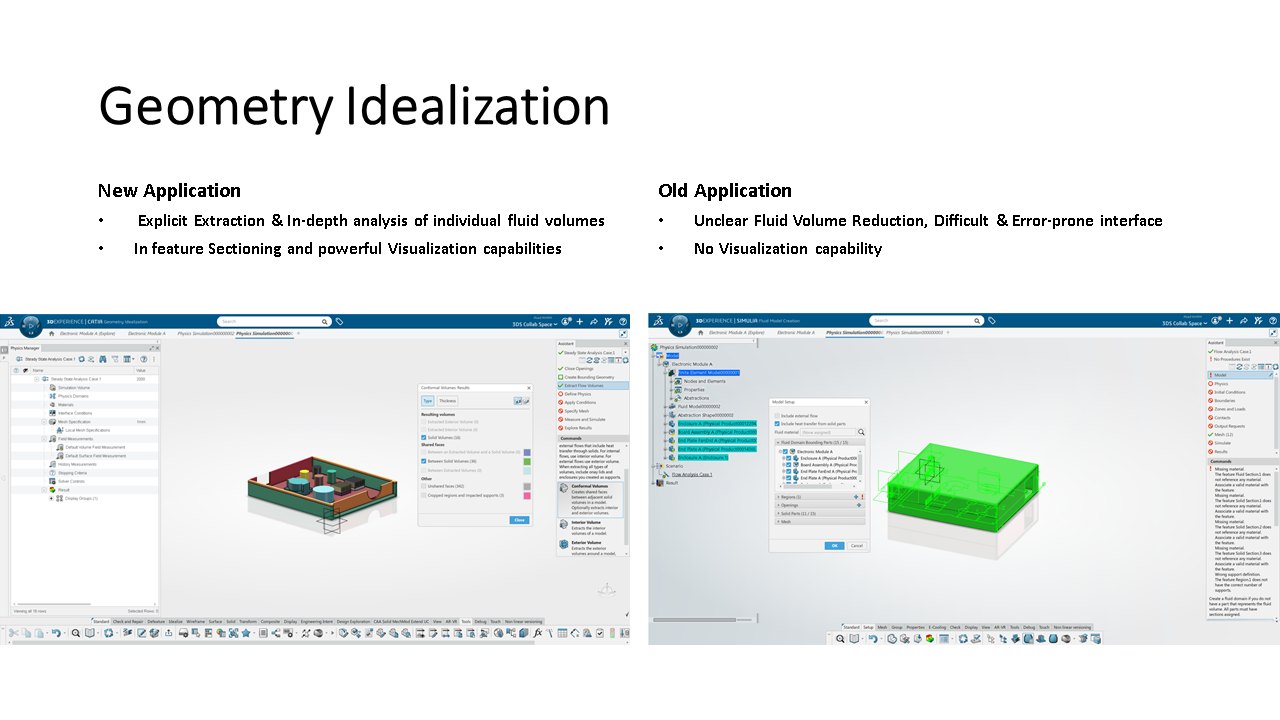
The biggest change was making the simulation explicit. In the old app a lot of the setup was hidden inside the software and you had to know where to look. Now setup is shorter, parameters show up where you need them, and you can actually see the fluid volume you’re simulating.
Users can also change parameters and try what-if cases without starting over. So they iterate faster and make better calls, even if they’re not experts.
Old way: the fluid you are simulating is never shown. You set things up and hit solve.
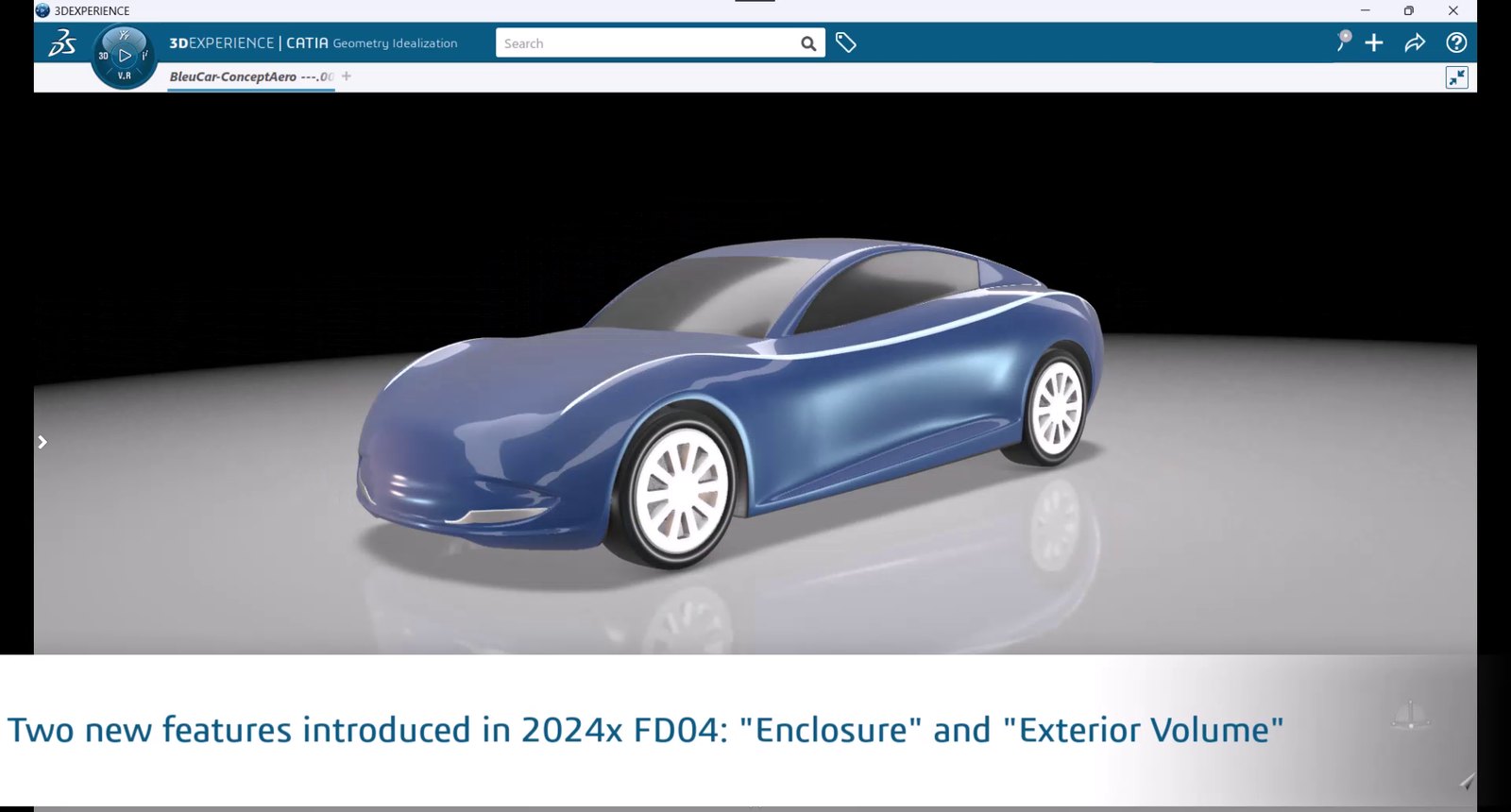
What shipped
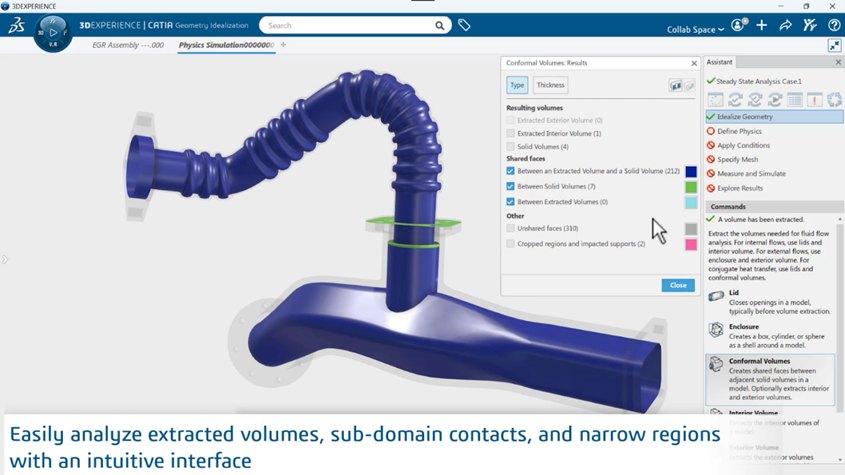
Faster model preparation
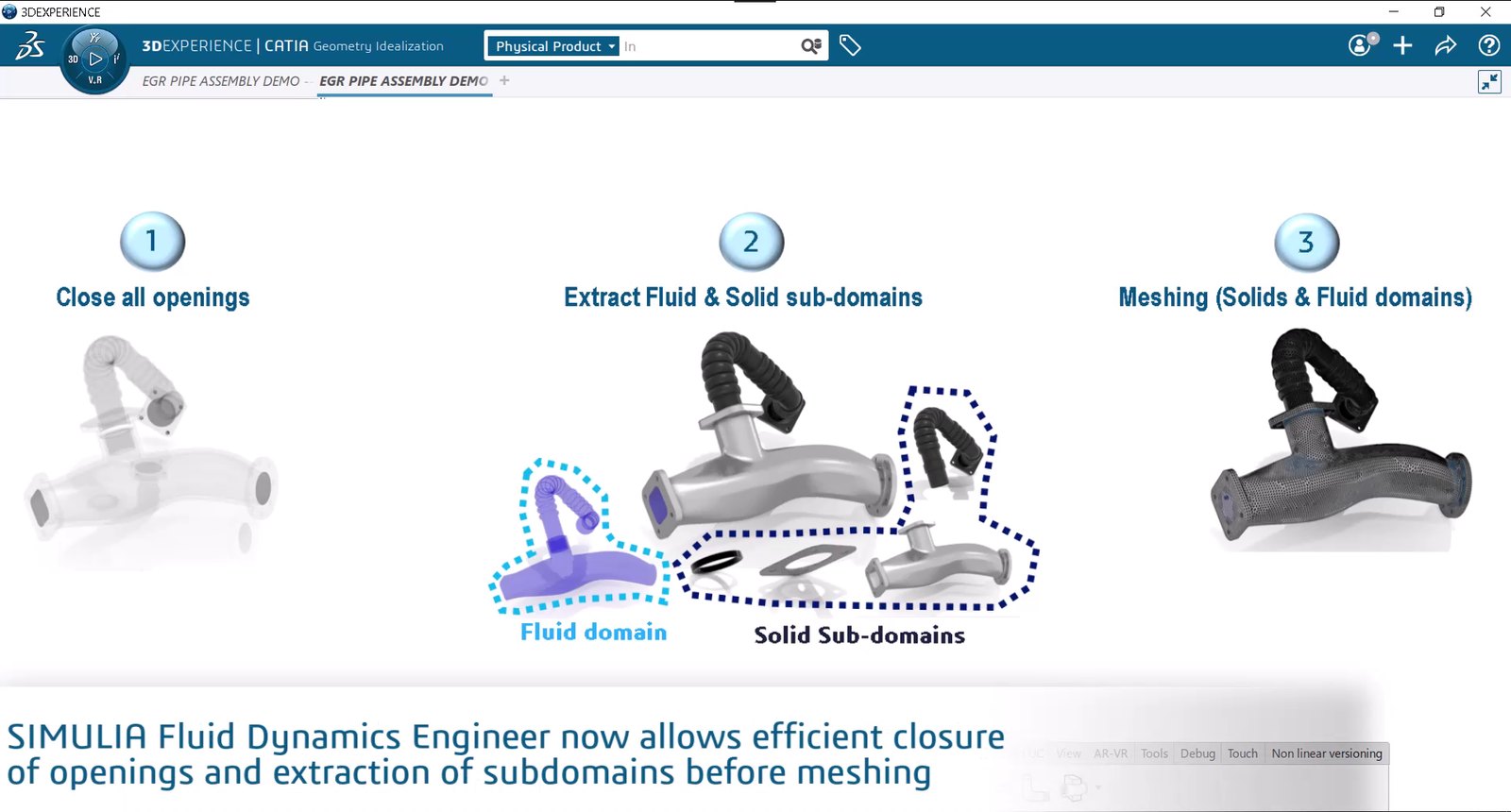
Extracting the flow volume is now its own visible step. It’s faster, and you can see the domain and check it’s right.
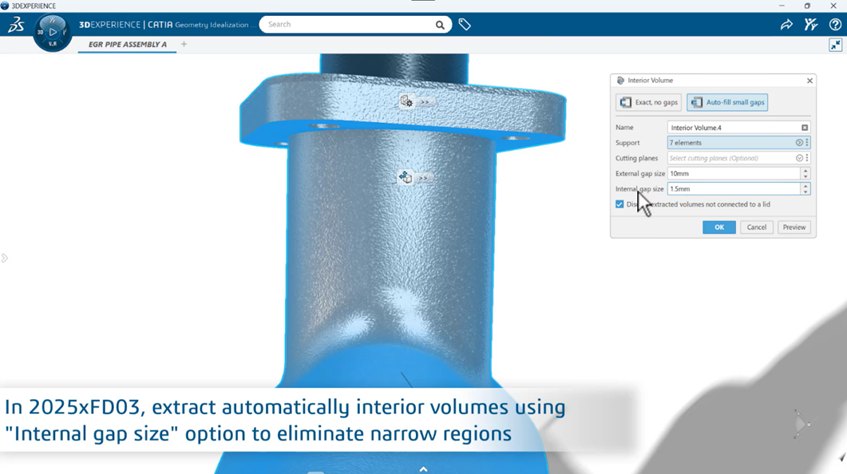
Automatic geometry cleanup
Auto Fill Small Gaps finds and closes tiny openings in the geometry. Users used to do this by hand, and it caused a lot of setup errors.
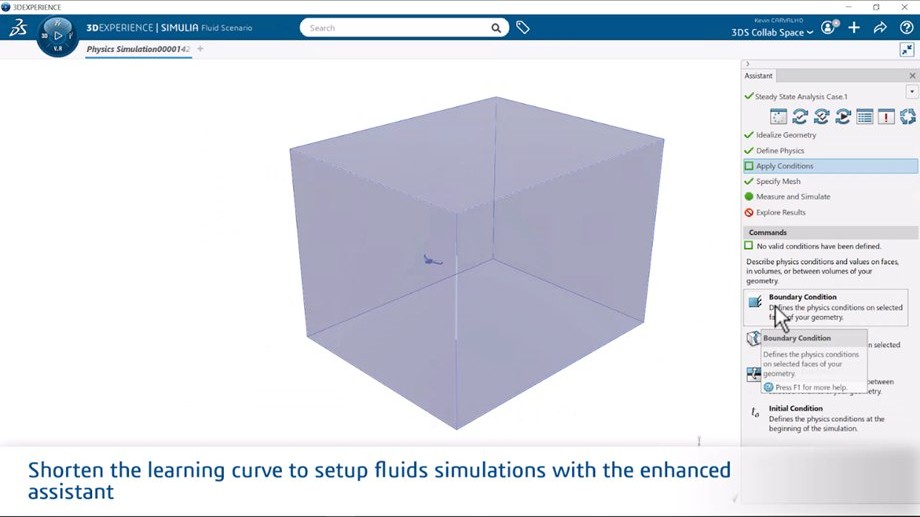
Guided analysis definition
An assistant walks users through domains, boundary conditions and parameters, with prompts and simpler wording. Experts can still get to the advanced options.
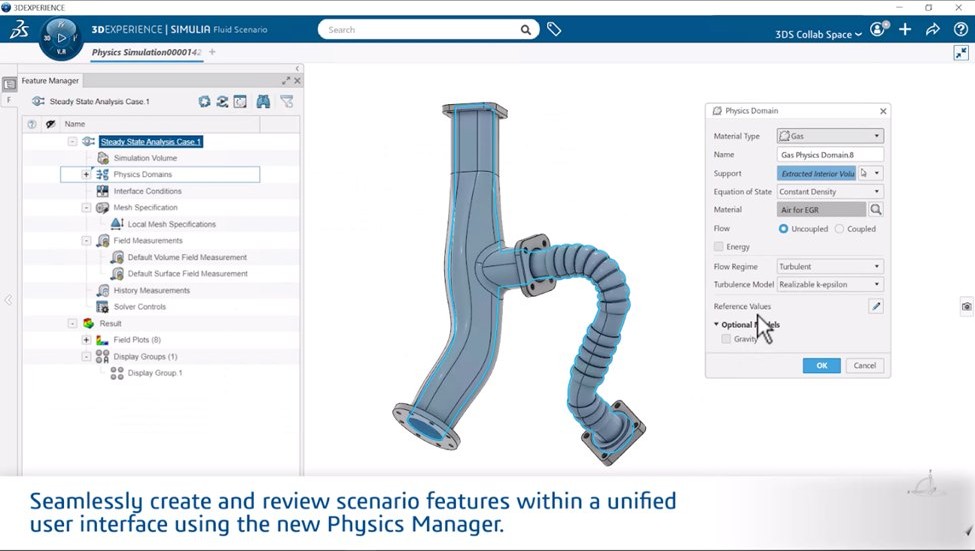
Physics in one place
The Physics Manager puts all the physics setup in one tree, so you can see what’s defined and get to any parameter quickly.
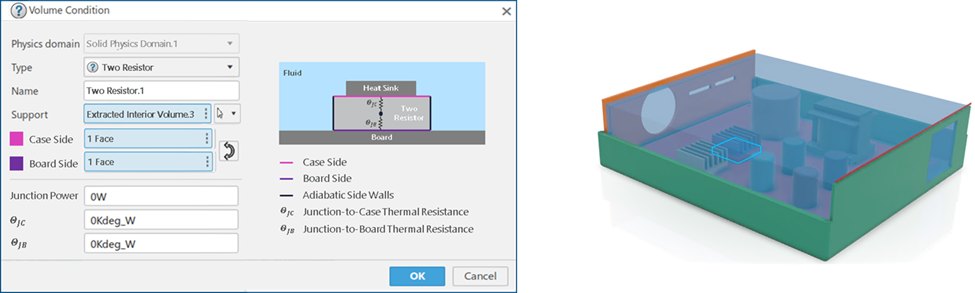
Visualization with in-dialog help
Dialogs explain their options with pictures, and results views are made so users can read the flow and spot patterns early in a design.
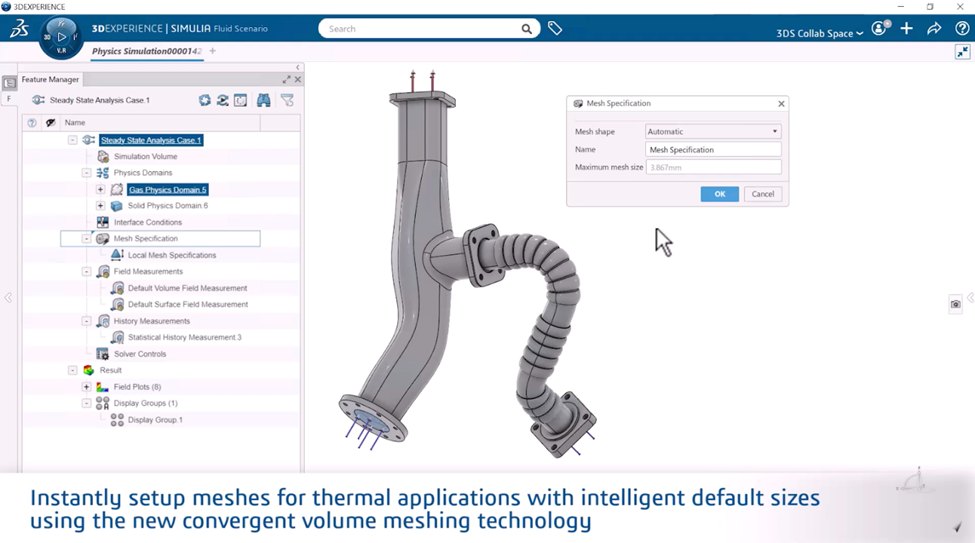
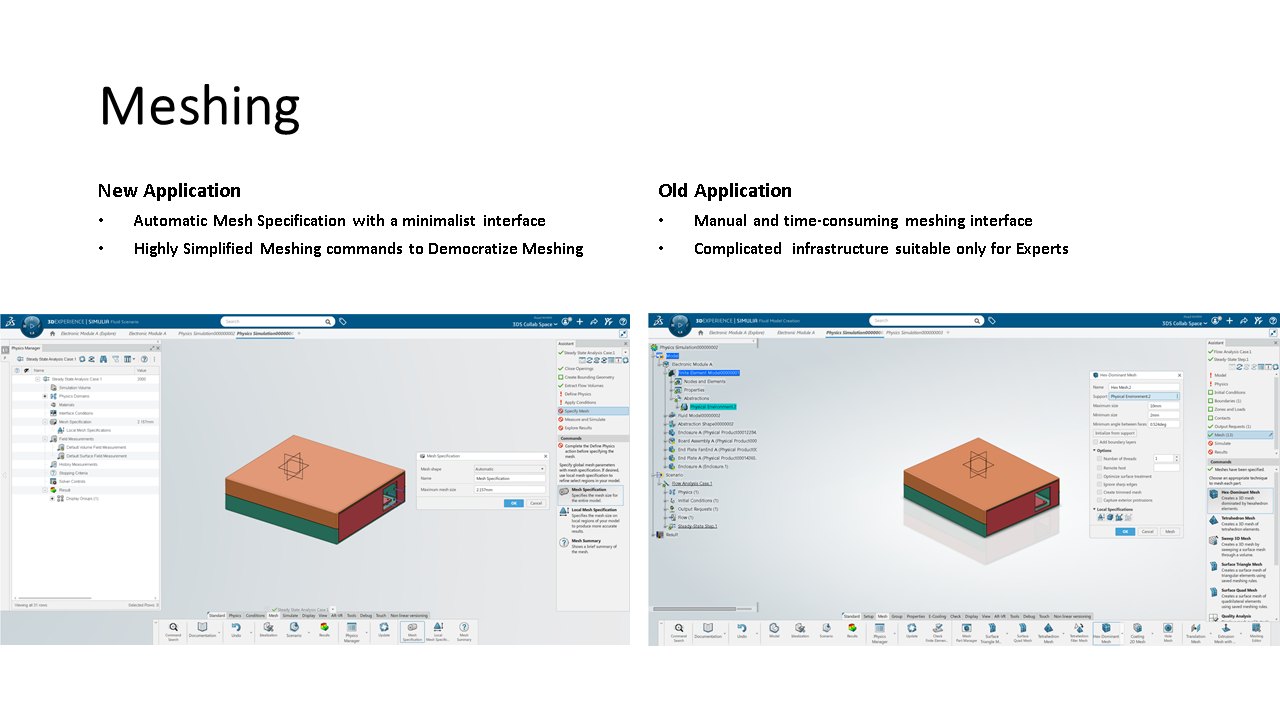
Faster meshing setup
Mesh sizes are set automatically now, and with the new CVM meshing technology you get good meshes faster and more reliably.
Impact
Now that UX is part of how our fluids apps are designed and developed, more engineers can use simulation earlier in design. They spend less time on setup and trust their results more. It also pushes MODSIM, modeling and simulation together, further into design and manufacturing.
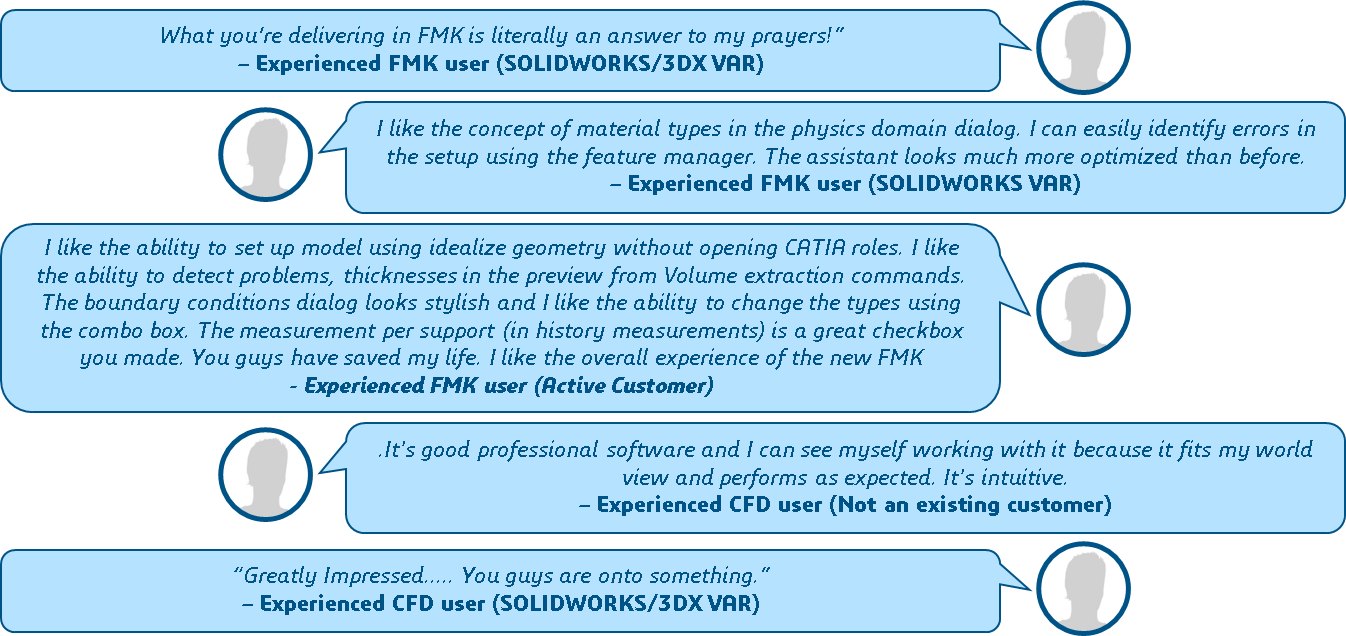
We’ve had a lot of good feedback from early users. A few of their comments are below.
I also wrote about this for the SIMULIA blog.
What’s next: experts
Fluid Dynamics Engineer is out now. I still lead UX for all the fluids apps on the 3DEXPERIENCE platform, and right now I’m working on an app for expert CFD users, which takes this a step further and comes out soon.
Experts want depth and control. The hard part is giving them that without losing the clarity we built for non-experts. I’ll add it here once it’s public.
Product images belong to Dassault Systèmes and are shown for illustration.